Site Admin
Site Admin is for customer administrators. It controls the configuration that makes Kaizely useful for your site.
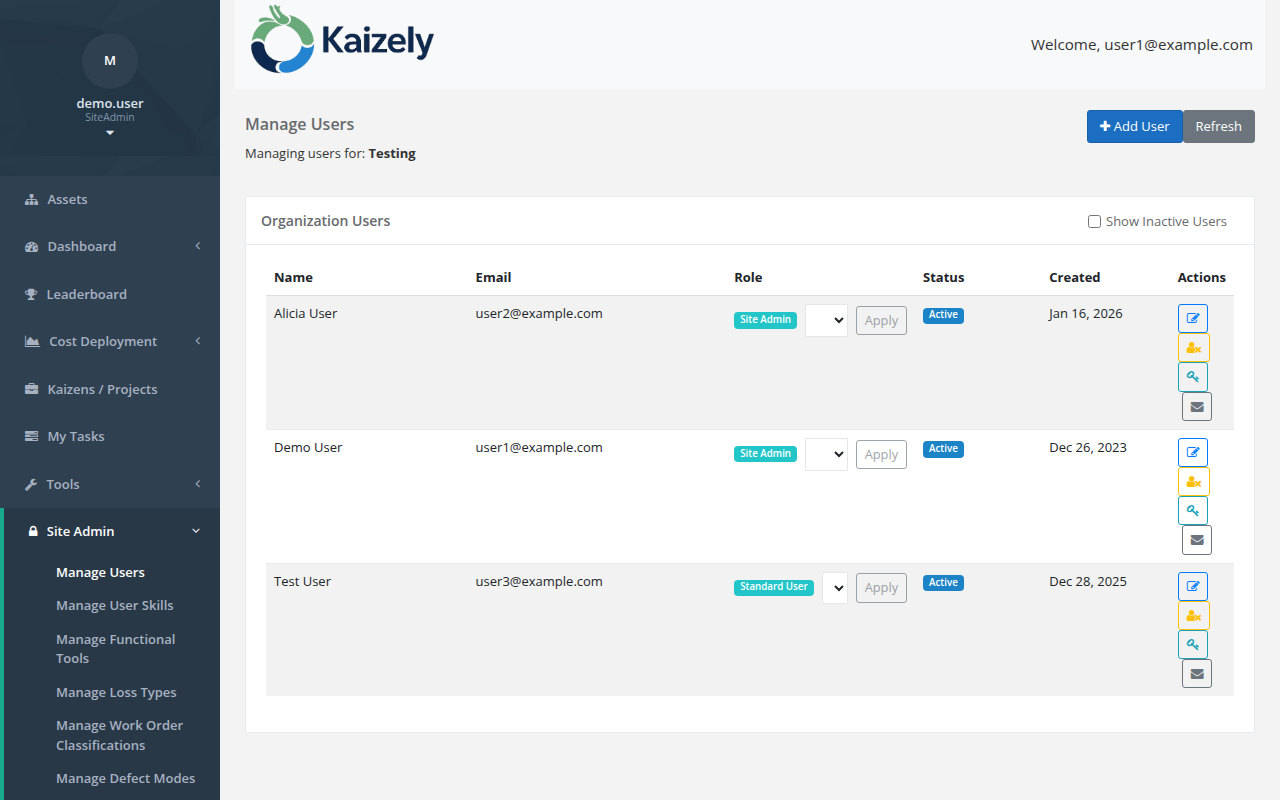 Site Admin — manage users, skills, loss types, and downtime reasons for your organization.
Manage Users
- Add and manage users in your organization.
- New users in an existing organization are typically created by the Site Admin (rather than self-registering).
Manage User Skills
- Define and track skills for users.
- Helps ensure the right people are available for the right work.
Manage Kaizen Skills
- Configure Kaizen/CI tool skills (capabilities people can have).
Manage Loss Types
- Loss Types determine how losses are grouped and analyzed (Dashboard, C Matrix, etc.).
Manage Downtime Reasons
- Downtime reasons are the categories used when tracking downtime and analyzing downtime-related losses.
Recommended setup order:
Users → Skills → Loss Types → Downtime Reasons → Assets (and cost data) → Verify Dashboard and matrices.