Projects (Kaizens)
Projects are Kaizen/continuous improvement initiatives created to reduce a specific loss (and track potential/actual savings).
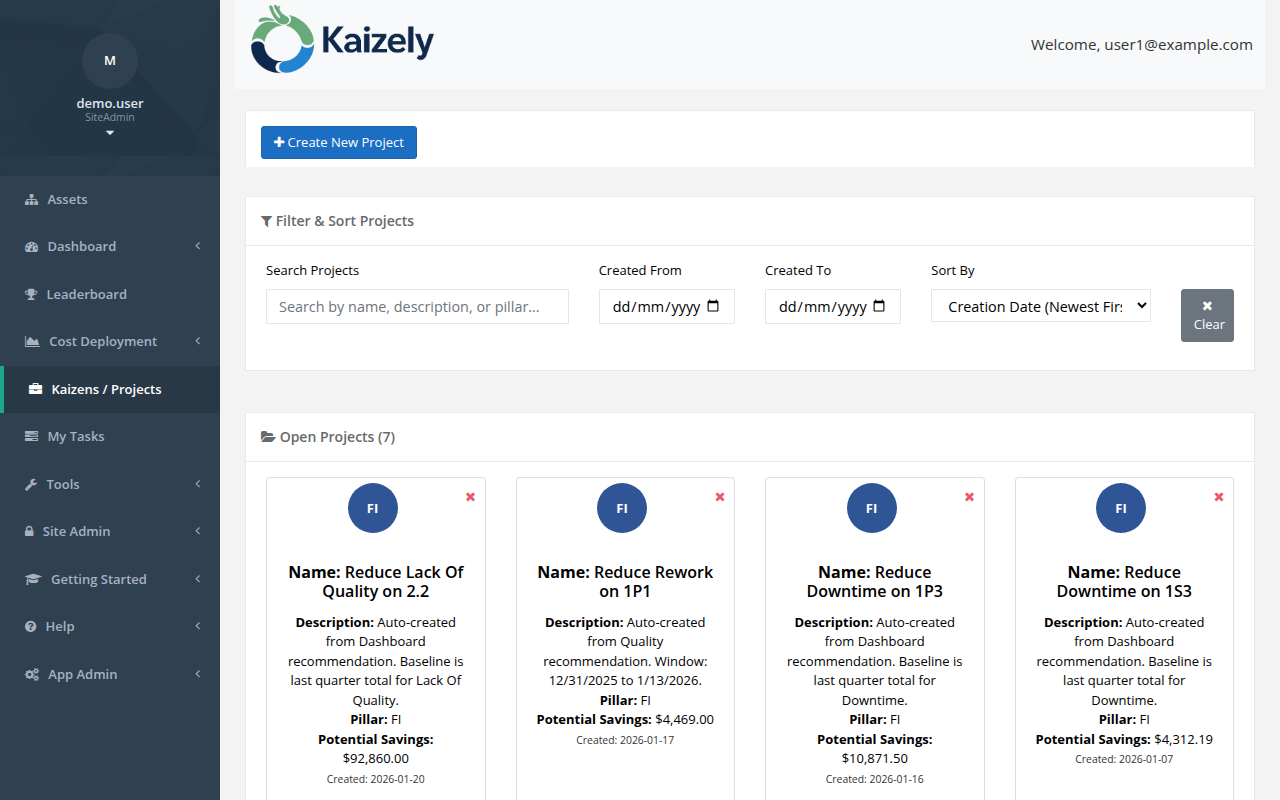 Projects list — view and manage all active Kaizen improvement initiatives.
Create a new project
Go to Projects → Create New Project (or use Dashboard recommendations).
Step 1: Select Asset
- Pick the asset where you want to focus improvement.
Step 2: Loss Definition
- Select the Loss Type you are attacking.
- Select a Loss Name (for example, a specific downtime reason) when available.
- You may be able to toggle baseline between current quarter and last quarter.
Step 3: Project Details
- Name and describe the project.
- Choose a Pillar (if your organization uses pillars).
Step 4: Review
- Confirm the asset hierarchy, loss type/name, and estimated potential savings.
- Create the project.
Working through the project workflow
Your project pages guide you through common Kaizen problem-solving steps, such as defining the team, understanding the problem, root cause analysis, countermeasures, targets, and sustainment.
- Define Team — assign who is involved.
- Understand the Problem — describe the current condition and problem statement.
- 5 Whys / 5W1H — structured analysis and documentation.
- Countermeasures — plan and track actions.
- Set Targets — set expected savings/targets.
- Sustainment — ensure the fix holds.